
Let’s be honest about Calendly for a second.
It’s a good product. We’ve used it. Plenty of people swear by it. But at $10 to $16 per user per month — every month, forever — you’re paying rent on a booking page that could just live on your own website. A 5-person team on Calendly’s Teams plan is spending somewhere between $600 and $960 a year just so clients can pick a time slot. When you say it like that, it starts to sound a little absurd.
That’s not a knock on Calendly. It’s a knock on the whole model: SaaS tools that charge you monthly for things that could be handled by software you actually own.
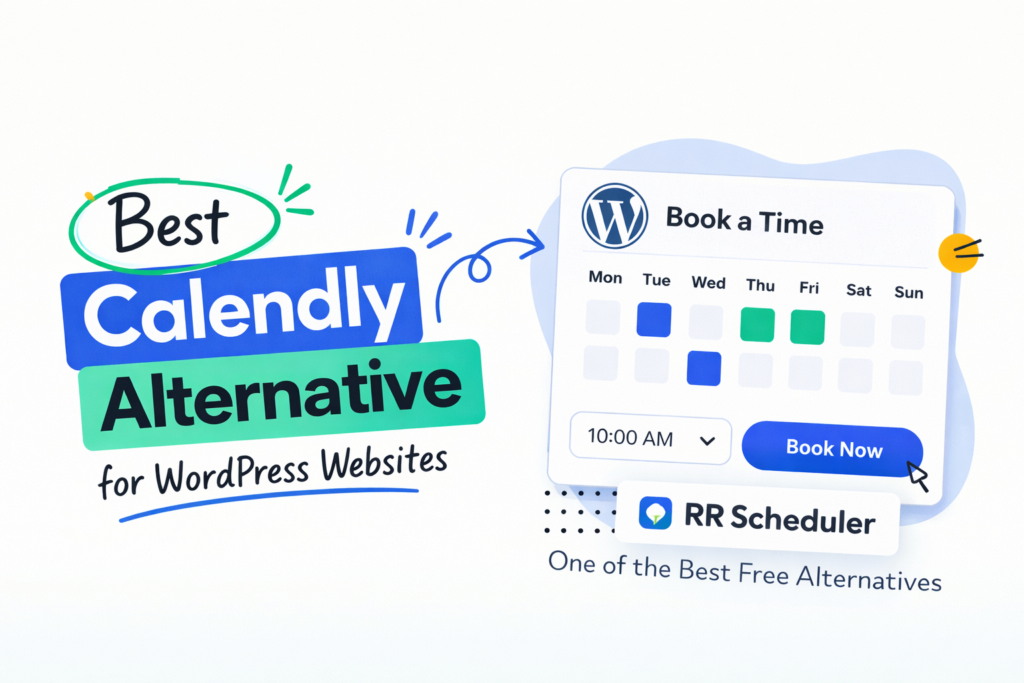
We built RR Scheduler because we got tired of that model. It’s a WordPress plugin — free, self-hosted, and fully functional out of the box. No monthly bill. No “upgrade to unlock this feature.” No booking page that lives on someone else’s domain. Just a clean, capable appointment scheduling system that runs inside the WordPress site you already have.
If you take appointments or meetings through your website — and you’re on WordPress — this is worth 10 minutes of your time.
What Scheduling Software Actually Costs American Businesses
Before we get into what RR Scheduler does, it’s worth zooming out a little, because the money people spend on scheduling tools is genuinely staggering.
Calendly’s paid plans run $10 to $16 per user per month. That’s the Standard tier. The Teams tier, which you need for anything resembling real team scheduling, sits at $16 per seat per month billed annually — which works out to $192 per person per year. Ten users? $1,920 a year. And that’s the discounted annual rate. Pay monthly and it’s worse.
Acuity Scheduling (now folded into Squarespace) starts at $16 a month for a single user, $27 for up to 6 staff, and $49 for larger teams. Fine products, but again — monthly fees, hosted on their infrastructure, their branding, their servers.
TidyCal is smarter about pricing — it’s a one-time fee around $19 — but it’s still a hosted platform. Your booking page lives at tidycal.com/yourname, not at yoursite.com/book. That’s not a small distinction, especially if your business depends on keeping clients on your domain and in your brand environment throughout the entire customer journey.
The scheduling software market in North America alone was worth over $150 million in 2024 and is growing at over 16% annually. Most of that is recurring SaaS revenue — businesses paying every month for tools that, in many cases, they could own outright with a self-hosted WordPress plugin.
North America accounts for 34% of the global appointment scheduling software market. Most of that spend is monthly SaaS subscriptions for tools that could be self-hosted.
We’re not against SaaS. There are scheduling tools with features that genuinely justify a subscription — enterprise CRM routing, complex round-robin logic, deep Salesforce integrations. If you need those things, pay for them.
But most people reading this don’t need those things. They need to let clients pick a time, fill in some details, and get a confirmation email. That’s it. And that does not require a monthly subscription.
So What Is RR Scheduler, Exactly?
RR Scheduler is a free WordPress plugin for appointment and meeting booking. You install it like any WordPress plugin, set up your meeting types and availability, drop a shortcode on a page, and you’re live. Clients book directly on your site — no redirect, no third-party page, no external platform in the chain at all.
Everything about the booking happens on your domain. The booking form, the calendar, the availability, the confirmation — all of it. From the client’s perspective, they never leave your website. From your perspective, every piece of booking data lands in your own WordPress database. Not Calendly’s servers. Not Squarespace’s cloud. Yours.
The plugin was built for real-world appointment scheduling — the kind that happens when a consultant needs to offer a free discovery call alongside paid strategy sessions, or when a three-person therapy practice needs each therapist to manage their own availability, or when a freelance photographer wants to replace a booking tool subscription with something that actually lives on their portfolio site.
It handles multi-staff scheduling, custom meeting types with individual enquiry fields, Google Calendar sync with automatic Google Meet link generation, and a clean front-end booking wizard that’s easy for any client to use. We’ll go through all of it. But the short version is: if you take appointments through a WordPress website, RR Scheduler does what you need without charging you anything.
RR Scheduler is a free WordPress booking plugin. Self-hosted on your server, unlimited meeting types, unlimited staff, Google Calendar sync, automatic Google Meet links, and a full client-facing booking wizard. No monthly fee, no third-party platform, no "Powered by" footer.
Who Actually Uses a Tool Like This
One thing we want to address upfront: this is not a tool built for one industry or one type of business. The “who” is pretty much anyone who takes time-based bookings through a WordPress site. That covers a lot of ground.
Consultants of every kind. Strategy consultants, financial advisors, marketing consultants, SEO consultants, HR consultants, legal consultants — people who sell their time in blocks and need a clean, professional way for potential clients to get on their calendar. The free discovery call is probably the single most common use case for a tool like this. You want prospects to be able to book a 20-minute intro call without six emails going back and forth. RR Scheduler handles that. You also want paid sessions — 90-minute deep-dives, half-day intensives, ongoing advisory calls — to have their own booking flows with different fields collecting different pre-session information. That works too.
Coaches and personal development professionals. Life coaches, executive coaches, career coaches, fitness coaches, nutritionists, personal trainers. People in this space often run the whole operation themselves — website, content, and client management — and they shouldn’t be paying $20 a month for the privilege of having clients book a session.
Therapists, counselors, and wellness practitioners. Therapists, psychologists, licensed counselors, acupuncturists, massage therapists, chiropractors. This is a space where client confidentiality matters. The fact that your booking data lives in your own database — rather than on a third-party platform’s server — is more than a nice-to-have for practitioners who handle sensitive client information.
Freelancers and independent professionals. Designers, developers, copywriters, photographers, videographers, architects, accountants. Anyone who has a website and needs to offer intro calls, project briefings, review sessions, or strategy consultations without the scheduling friction of back-and-forth email.
Small businesses and service providers. Hair salons running on a single staff member, driving instructors, music teachers, tutors, estate agents, mortgage brokers, real estate agents, insurance brokers. If you have a WordPress site and clients need to schedule time with you, this works.
Healthcare practices. Small clinics, GP practices, specialist consultations, allied health providers — physios, podiatrists, occupational therapists. The multi-staff setup makes RR Scheduler genuinely useful here. Different practitioners handle different appointment types. Each one has their own availability. The system routes bookings to the right person automatically.
WordPress developers and agencies. This is a use case that doesn’t always get mentioned but it’s a real one. If you build WordPress sites for clients, RR Scheduler gives you a solid booking solution you can deploy as part of a project without adding a monthly SaaS cost to the client’s ongoing expenses. They own it. It runs on their site. No subscription to explain, manage, or worry about if the client decides they want to cancel their Calendly plan next quarter.
The Features — In Plain Language
We’re not going to go through a bulleted feature list. You’ve read those before. Instead let’s talk through how the plugin actually works, because the mechanics matter.
Meeting types are the foundation. A meeting type is a bookable appointment with a name, a duration, a color, and an optional displayed price. You create as many as you need — there’s no cap. A consultant running discovery calls, paid strategy sessions, and VIP day intensives has three meeting types. A hair salon with cuts, colors, and blowouts has three meeting types. Each one gets its own shortcode, so you can embed a single booking type on a specific service page, or embed all of them on a dedicated booking page.
Custom enquiry fields let you collect what you actually need. This is something a lot of basic booking tools get wrong. They let clients book a time, but they don’t let you collect the context you need before the appointment. RR Scheduler lets you add custom fields — text, email, phone, dropdown, long text — to each meeting type individually. So your discovery call might ask about the client’s industry and their biggest current challenge. Your strategy session might ask for their website URL, current monthly revenue range, and what they’ve already tried. Your intake appointment at a physical therapy clinic might ask about the injury, how long it’s been happening, and any relevant medical history. All of that shows up in the booking notification email so you’re not walking into a call cold.
Staff availability works per person, not per practice. Every staff member gets their own weekly availability schedule — you set which days they’re available and what hours. You can also block specific dates individually, which handles vacations, holidays, and the occasional “I have a thing that day” situation. When a client books, they see the actual available slots for that meeting type with that staff member. If Tuesday 2pm is already taken, it’s not shown. If that staff member is on vacation that week, the whole week is unavailable. The logic handles itself.
Google Calendar sync is optional but it’s where the magic happens. When a staff member connects their Google Calendar to RR Scheduler, every confirmed booking automatically creates a calendar event, adds the client’s details to the event, and generates a Google Meet link. That link goes into the calendar event and into the confirmation email the client receives. Think about how many steps that replaces: no manual calendar entry, no copy-pasting a Zoom link, no “here’s the call link” follow-up email. The booking confirmation is the complete package — date, time, details, link.
The booking wizard is three steps and nothing more. Clients get a clean calendar showing available days highlighted. They pick a day, they pick a time slot, they fill in their details and any custom fields. Submit, done. No account creation. No login. No confirmation page that redirects somewhere else. The whole experience lives on your site, in your branding, with no indication that a third-party plugin is even involved.
Comparing RR Scheduler to the Tools You’re Already Paying For
There are a few dimensions worth comparing directly.
On cost, the difference is obvious. Calendly runs $10–$16 per user per month for any plan with real functionality. Acuity runs $16–$49 per month depending on staff count. TidyCal is $19 one-time but still an external platform. RR Scheduler is $0 — not a trial, not a freemium tier, not a limited version. The full plugin.
On data ownership, this is where the gap between hosted tools and self-hosted tools is most significant. When a client books through Calendly, that booking record — their name, email, the questions they answered, the time they chose — lives on Calendly’s servers. When Calendly changes its terms of service or gets acquired (Squarespace acquired Acuity in 2019, for reference), you don’t control what happens to that data. With RR Scheduler, the booking record is a row in your WordPress database. It’s yours. Your server. Your backup. Your control.
On branding, every hosted scheduling tool puts your booking page on their domain or puts their branding on your booking page (unless you pay to remove it). With RR Scheduler, there’s no brand other than yours. The booking page is just a page on your WordPress site. The confirmation email comes from your email address. The whole experience is seamless with the rest of your site because it literally is the rest of your site.
On what it doesn’t do, we want to be straight with you. RR Scheduler doesn’t currently handle payment collection at booking time — you can display a price, but there’s no native Stripe or PayPal integration yet. It doesn’t support round-robin scheduling across a staff pool. It doesn’t do SMS reminders, Zoom integration (only Google Meet), or group class bookings. These are real limitations. They’re on the roadmap. But if you need any of those features today, either build a workaround or look at a paid tool for that specific need.
RR Scheduler is built for one-on-one appointment booking. If you need group class scheduling, built-in payment collection at booking, or SMS reminders, those features aren't available yet in the current version.
Setting It Up: What the Process Actually Looks Like
We’ve timed this. From downloading the plugin to having a tested, live booking page running: about 15 minutes for a single staff member with one or two meeting types. Add Google Calendar connection and figure 20–25 minutes total.
Real Scenarios: How Different People Actually Use It
The independent financial advisor in Dallas. One staff member. Two meeting types: a free 30-minute intro call with fields asking about investment goals, time horizon, and current portfolio size, and a paid 60-minute planning session (price displayed for reference, payment handled separately through their existing billing process). Everything is embedded on their existing WordPress site. They replaced an Acuity subscription they’d had for three years.
The three-therapist practice in Chicago. Three therapists, each with different specialties and different hours. Meeting types include an initial consultation (50 minutes), a standard session (50 minutes), and an extended session (80 minutes). Each therapist is assigned to the relevant types based on their licensure. Clients choose the session type and then see the available slots across the appropriate therapists. Client data — including the intake information collected through the custom fields — lives entirely on the practice’s own server. For a practice handling sensitive mental health information, that matters.
The WordPress developer in Austin. Builds sites for local businesses. Started adding RR Scheduler to client projects as the default booking solution instead of recommending Calendly or Acuity. Clients get a fully functional booking system, it’s included in the project price, and there’s no ongoing subscription cost to manage. Two clients have since asked to add more meeting types as their businesses grew — took about 5 minutes each time, no billing changes anywhere.
The freelance photographer in Miami. Single meeting type: a 20-minute pre-shoot planning call with custom fields asking for shoot date, location preferences, number of subjects, and any specific shots they have in mind. The shortcode is embedded at the bottom of her Contact page. She went from 10–15 “can we find a time to chat?” emails per month to zero.
The Questions We Get Asked Most
One More Thing About Data
This deserves its own paragraph because it keeps coming up and it’s important.
When you use a hosted scheduling tool, your client data lives on that company’s servers. That includes your clients’ names, email addresses, phone numbers, and anything else they filled out in the booking form. It includes your entire appointment history. When that company changes its terms of service, gets acquired, raises prices, or has a data breach, you’re along for the ride. You don’t own that data in any meaningful sense — you have access to it through their platform, and that access is contingent on your subscription.
This is not a theoretical concern. Acuity Scheduling was acquired by Squarespace in 2019. Users woke up one day to find their scheduling tool was now owned by a different company with different priorities. That happens.
RR Scheduler is software that runs on your server. Your clients’ booking information is in your database. You export it, back it up, move it, delete it, or do whatever you need to do with it — it’s yours. If we stopped maintaining the plugin tomorrow, your existing data would still be there in your WordPress database and your booking pages would keep working until WordPress itself changed something.
Ownership of your own data is something people talk about a lot in the abstract. With self-hosted software, it’s concrete.
The Bottom Line
There’s a version of this where we oversell RR Scheduler. Tell you it replaces every scheduling tool on the market, does everything Calendly does and more, and you should cancel all your subscriptions today.
That’s not the pitch.
The pitch is simpler: if you run a WordPress site and you take appointments, you don’t need to pay monthly for that. A clean, self-hosted booking system that lives on your own domain, stores data on your own server, and doesn’t charge you anything ongoing is not a compromise — it’s just a better setup for most use cases.
Calendly is excellent if you need deep CRM integrations, enterprise routing logic, or team scheduling at scale. Acuity is solid if you need complex payment flows or recurring appointment management. We’re not replacing those tools for everyone.
We’re replacing them for the consultant who has a WordPress site and needs to let clients book a discovery call. For the therapist who wants intake information collected before a session. For the small business owner who’s been paying $20 a month for three years and doesn’t quite know why. For the developer who wants to stop adding third-party subscriptions to client builds.
For those people — which is most people — RR Scheduler does the job. Free, self-hosted, and ready to go in about 15 minutes.
